
Docs · Glow & rays
Pulsar Glow
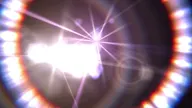
Multi-directional star streaks on highlights: up to eight streak directions, each assignable to one of two color ramps, with per-direction length and the whole star freely rotatable — including animated map spin that orbits the colors around the star while the geometry holds.
| Version | 0.5.0 |
|---|---|
| Parameters | 29 |
| Presets | 14 |
| GPU | On the GPU (Metal), with a CPU fallback. Nothing to configure. |
| Hosts | After Effects 2020 or later (2025 or later recommended). macOS 11 or later, Apple Silicon and Intel. |
Pulsar Glow shoots star streaks out of a frame’s highlights: up to eight rays per source, each with its own length, each colored by one of two ramps, and the whole figure freely rotatable. It is not a bloom. A bloom spreads light in every direction at once; this spreads it down eight fixed lines, the way a bladed iris or a piece of faceted glass actually behaves. It’s the effect for glamour highlights, water sparkle, and stylized night lights — anywhere a bright point should throw structure instead of a halo.
The algorithm runs in three stages, and knowing them makes the dials obvious. First a gate. Every pixel is reduced to the plain average of its three channels and compared against Threshold, with Threshold Soft widening the cutoff from a step into a knee. Averaging has a consequence worth knowing up front: a strongly saturated source sits lower against the gate than a neutral one with the same peak channel, so colored bulbs want a lower Threshold than white ones. What survives the gate is a single-channel field of what flares, and nothing downstream knows anything else about the image.
Second, eight independent smears of that field — right, left, up, down, and the four diagonals. Each smear is an exponential falloff whose constant, in pixels, is Streak Length times that ray’s own multipliers. The smear is energy-normalized: doubling a ray’s length spreads the same light twice as far rather than adding twice as much, which is precisely why brightness lives on a separate dial. That dial is Boost, and its gain is exponential — every +25 multiplies the streak’s brightness by about 4.5×, so it wants small moves.
Third, color and add. Each ray is tinted by a three-stop ramp read off its own brightness — hottest at the source, running through the midtone hue along the body, dying out at the tip — and added over the source image. Which of the two ramps a given ray uses is the Colormap Routing decision, and Map Spin rotates that assignment around the star while the arms themselves hold still. That’s the signature move: the colors orbit, the geometry doesn’t. The working rhythm is the suite’s usual one — pick one of the 14 presets, gate it to your plate, then ride the Master dials.
Parameters
Gate, length and energy
Presets stamps one of 14 factory looks onto the dials that define the star — the lengths, the gate, Boost, both color ramps, and the routing between them. It leaves Star Rotation, Map Spin, Quality, Glow Only, and the Master dials exactly where you left them, so you can audition every look without losing your rotation or your compositing setup. The popup reads Custom the moment you touch anything.
Threshold decides which pixels flare, reading the average of the three channels. The dial is in display code with 256 as reference white: at the default Threshold = 160 a mid-bright wall still contributes, Threshold = 220 narrows it to specular hits, and past reference white only super-white values — blown practicals, HDR plates, 32-bit comps — survive at all. Going the other way, Threshold = 120 is the everything-glitters setting. Threshold Soft widens that cutoff into a ramp so pixels near the gate contribute partially. It’s the anti-sizzle dial: a hard gate makes highlights snap in and out between frames on moving footage, and Threshold Soft 15–30 fixes it. The default of 10 is deliberately tight.
Streak Length is the falloff constant in pixels — the distance over which a ray decays to roughly a third of its brightness, which is why the visible ray runs several times longer than the number you type. Streak Length 15–60 is jewelry and glamour work at 1080p; 100 and up turns every surviving highlight into a full burst; the default of 20 is a tight glint. Because each ray carries constant energy, a longer streak is a fainter streak per pixel, and that’s what Boost exists to put back. Boost is an exponential gain — each +25 multiplies the streak’s brightness by about 4.5×, so Boost 0–15 covers most shots, Boost = 40 is a deliberate blowout, and the default of 0 means the streaks arrive at their natural, unamplified level.
Glow Only drops the source image and outputs the star alone — the compositing route: put the pass on its own layer, then blend, grade, or offset it independently. With it off, the rays are simply added on top of the source.
Quality picks how each ray is sampled, Q1 through Q4, cheapest to most expensive. The falloff law is identical at every step — this is not a “more correct” dial, it’s a sampling-density dial. Short streaks look the same at Q1 as at Q4. Long ones sample in coarser steps at the low settings, which can show as stepping down the tail, so reach for Q3 or Q4 on finals with long rays. Q2 is the default and the right setting for previewing a heavy comp.
Star geometry
The star is eight fixed rays and ten dials that scale them. Four cardinals — Length R, Length L, Length U, Length D — and four diagonals — Length UR, Length DL, Length DR, Length UL. Each is a percent multiplier on Streak Length for its own arm, with 100 neutral. Above them sit two group dials: Cardinal Length scales all four cardinals together, Diagonal Length all four diagonals.
Zero is a hard off, not a short ray: an arm whose multipliers reach 0 is dropped from the render rather than drawn short, so switching arms off buys back time as well as changing the shape. That’s the fast route to the two classic silhouettes — Diagonal Length = 0 leaves a four-point cross (Pulsar, Neon Grid, Cryostream, Anamorphic Rig all start there), Cardinal Length = 0 leaves an X (Singularity, Forge Spark).
Between those extremes you’re deciding how much the cross leads. Both group dials at 100 is the even eight-point star, where four of the factory looks sit — Dark Matter, Event Horizon, Ember Drift, Ghost Light — and it’s the most graphic, most symmetrical read available. Pull Diagonal Length down to 45–60 and the cardinals take the lead while the diagonals fill the gaps between them; that’s the band Furnace, Glacier, and Solar Crown use, and it’s usually the more photographic of the two. Below about 30 they’re short enough to stop reading as arms at all — they just thicken the light at the source, which is a way to fatten a cross without lengthening it.
The per-arm dials are where the shape stops looking synthetic. A horizontal lens streak is Length R and Length L pushed way out while Length U and Length D are clipped to a stub — that’s Anamorphic Rig. A rising column of ice is Length R = 0, Length L = 0, Length U = 220, Length D = 180, which is Cryostream. Run one diagonal pair long and the other short — Length UR and Length DR at 200 against Length UL and Length DL at 40 — and you get the wind-blown star of Starfall. Asymmetry reads as direction; a perfectly even star reads as a graphic.
Star Rotation turns all eight arms together, in degrees, positive clockwise on screen. Multiples of 90 are the one exact case: the rotated arms land back on the same pixel grid the unrotated star used, a straight permutation of the eight directions with no resampling. Every other angle is interpolated, which costs nothing visible but is worth knowing when you compare a rotated render against an unrotated one. Star Rotation = 45 is the useful non-exact angle — it puts the cardinal arms where the diagonals were, so a cross reads as an X without touching a length dial. Star Rotation = 22.5 offsets an eight-point star from the frame axes, the fix when horizontal and vertical rays line up with architecture and start reading as artifacts. The colors travel with the arms when you rotate — if you want the colors to move and the geometry to stay put, that’s Map Spin.
Color ramps, routing and spin
27 params
Every ray is colored by a three-stop ramp read off its own brightness. Ramp A is A Shadows, A Midtones, A Highlights; ramp B is B Shadows, B Midtones, B Highlights. The hot end of a streak — right at the source — lands on A Highlights, the body runs through A Midtones, and the faint tail falls to A Shadows. The mapping is gamma-shaped, so A Midtones covers most of what you actually see: that is the stop carrying the look, and it’s the one to change first. A Highlights shows only in the hottest cores, which is why nearly every factory ramp keeps it at or near white — it’s the middle of a flare is too bright to have a color stop. A Shadows sets the tail’s darkest tint and is what keeps a long streak from dying gray. The factory defaults are the house pair: A green up to white, B red through orange to white.
Colormap Routing decides which arm gets which ramp. AE Default splits the star across both: Length R, Length U, Length UL, and Length DR take ramp A, and Length L, Length D, Length UR, and Length DL take ramp B. The split is deliberately not a clean alternation: neither half is a symmetric figure on its own, which is what keeps a two-ramp star from reading as a checkerboard. All A and All B collapse the whole figure onto a single ramp, which is what every monochrome factory look does. Set both ramps identically and routing stops mattering at all.
Map Spin rotates the ramp assignment around the star while the arms hold still, in degrees, positive sliding the assignment clockwise. At each multiple of 45 every arm sits squarely on one ramp; between those nodes the arms carry a blend of the two, and that’s where the in-between colors come from. This is the effect’s signature animated move: keyframe Map Spin from -180 to 180 and the colors make one full orbit while the geometry never budges — a rotating-prism read that layer rotation can’t fake, because layer rotation would take the streak directions with it. The dial’s hard range covers ten full turns in either direction, so a long continuous orbit is a single pair of linear keyframes. It only bites under AE Default; with routing collapsed to one ramp there is nothing left to orbit.
| Name | Type | Range | Default | Choices |
|---|---|---|---|---|
| License | button | — | — | — |
| Presets | popup | — | Custom | Custom · Dark Matter · Furnace · Glacier · Pulsar · Singularity · Solar Crown · Cryostream · Event Horizon · Anamorphic Rig · Neon Grid · Ember Drift · Ghost Light · Forge Spark · Starfall |
| Streak Length | slider | 0–250 (hard 0–1000) | 20 | — |
| Boost | slider | 0–100 (hard 0–200) | 0 | — |
| Threshold | slider | 0–256 (hard 0–512) | 160 | — |
| Threshold Soft | slider | 0–100 | 10% | — |
| Cardinal Length | slider | 0–200 (hard 0–1000) | 100% | — |
| Diagonal Length | slider | 0–200 (hard 0–1000) | 100% | — |
| Star Rotation | slider | -180–180 | 0 | — |
| Length R | slider | 0–250 (hard 0–1000) | 100% | — |
| Length L | slider | 0–250 (hard 0–1000) | 100% | — |
| Length U | slider | 0–250 (hard 0–1000) | 100% | — |
| Length D | slider | 0–250 (hard 0–1000) | 100% | — |
| Length UR | slider | 0–250 (hard 0–1000) | 100% | — |
| Length DL | slider | 0–250 (hard 0–1000) | 100% | — |
| Length DR | slider | 0–250 (hard 0–1000) | 100% | — |
| Length UL | slider | 0–250 (hard 0–1000) | 100% | — |
| A Shadows | color | — | RGB 0, 252, 12 | — |
| A Midtones | color | — | RGB 158, 255, 6 | — |
| A Highlights | color | — | RGB 255, 255, 255 | — |
| B Shadows | color | — | RGB 252, 12, 0 | — |
| B Midtones | color | — | RGB 255, 158, 6 | — |
| B Highlights | color | — | RGB 255, 255, 255 | — |
| Colormap Routing | popup | — | AE Default | AE Default · All A · All B |
| Map Spin | slider | -180–180 (hard -3600–3600) | 0 | — |
| Glow Only | checkbox | — | off | — |
| Quality | popup | — | Q2 | Q1 · Q2 · Q3 · Q4 |
Master
2 params
Two macro dials, 100 neutral: Master Amount multiplies Boost, Master Scale multiplies Streak Length. Ride a Master dial or the dial it folds, never both — the scaling doubles up.
Master Scale is the one you’ll use most. A star dialed in at 1080p is a star measured in pixels, so the same look at 4K wants Master Scale = 200 and nothing else touched; every per-arm multiplier rides along at its existing proportion.
Master Amount carries a trap worth knowing. It scales Boost before the exponential, and the factory default of Boost = 0 means zero times anything is still zero — the dial does nothing until you lift Boost off the floor. Set Boost = 10 or so first and Master Amount becomes a usable energy handle. Even then it isn’t linear: because the gain is exponential, Master Amount = 50 against Boost = 25 doesn’t halve the streak brightness, it takes the square root of the gain. Keyframe it for pulses and flare-ups, in smaller moves than a percent dial normally invites.
| Name | Type | Range | Default | Choices |
|---|---|---|---|---|
| Master Amount | slider | 0–200 (hard 0–400) | 100% | — |
| Master Scale | slider | 0–200 (hard 0–400) | 100% | — |
Presets
Factory presets
14 looks
The 14 factory looks stamp the star itself — Streak Length, Boost, Threshold and Threshold Soft, all ten length multipliers, both color ramps, and Colormap Routing — and leave Star Rotation, Map Spin, Quality, Glow Only, and the Master dials alone. So the safe order is: pick a look, then gate it to your plate and scale it to your format. They sort into families by shape. Four are even eight-point stars with cardinals and diagonals both at 100 — Dark Matter, Event Horizon, Ember Drift, Ghost Light. Three keep the full cross and trim the diagonals so it leads: Furnace and Glacier at Diagonal Length = 60, Solar Crown at 45, the hardest trim in the set. Four switch the diagonals off entirely for a cross (Pulsar, Neon Grid, Cryostream, Anamorphic Rig), and three run diagonal-led X looks — Singularity and Forge Spark with the cardinals off, Starfall with them held at Cardinal Length = 30 under swept diagonals. Furnace and Glacier are the same geometry in opposite temperatures, which is the fastest way to feel how much of a look is hue and how much is shape.
- Dark Matter — the house look: an even eight-point star with short rays and no boost, the green and red-orange ramps split across the arms. Small enough for jewelry and product work as it stands.
- Furnace — deep red through orange to cream, diagonals cut to a little over half so the cross leads; forge and foundry heat.
- Glacier — Furnace’s exact geometry in deep blue through sky to ice white; the cold default for chrome, glass, and water.
- Pulsar — pure white four-point cross, short and hot, gated high so only true speculars fire. The cleanest starting point.
- Singularity — diagonals only, long: a violet and magenta X with the cardinals switched off entirely.
- Solar Crown — warm gold with its diagonals cut to under half, shorter than any preset that keeps them, so the cross reads first; the lowest gate of the warm looks, so a lot of the frame’s bright work joins in.
- Cryostream — vertical only and upward-biased: an icy column rising off each highlight, with the horizontal arms off.
- Event Horizon — very long cool desaturated rays, high gate and a wide knee; atmosphere rather than sparkle.
- Anamorphic Rig — the longest look here: hard horizontal lens streaks with the vertical arms clipped to a stub.
- Neon Grid — cyan against magenta on a diagonal-free cross, the second-hottest boost in the set; sign-lit street work. Its gate sits barely above the default, so expect to raise
Thresholdyourself on a busy plate. - Ember Drift — short warm rays under a very soft knee, so highlights fade in and out of the star instead of snapping.
- Ghost Light — low gate, softest knee, plain white: a faint star on nearly everything bright in frame.
- Forge Spark — tiny diagonal sparks with the hardest gate and the biggest boost in the set; welding and grinder hits.
- Starfall — diagonals swept to one side over a cross pulled down to a third, with green and blue ramps split across them; wind-blown stars.
| Dark Matter | the house look: an even eight-point star with short rays and no boost, the green and red-orange ramps split across the arms. Small enough for jewelry and product work as it stands. |
|---|---|
| Furnace | deep red through orange to cream, diagonals cut to a little over half so the cross leads; forge and foundry heat. |
| Glacier | Furnace's exact geometry in deep blue through sky to ice white; the cold default for chrome, glass, and water. |
| Pulsar | pure white four-point cross, short and hot, gated high so only true speculars fire. The cleanest starting point. |
| Singularity | diagonals only, long: a violet and magenta X with the cardinals switched off entirely. |
| Solar Crown | warm gold with its diagonals cut to under half, shorter than any preset that keeps them, so the cross reads first; the lowest gate of the warm looks, so a lot of the frame's bright work joins in. |
| Cryostream | vertical only and upward-biased: an icy column rising off each highlight, with the horizontal arms off. |
| Event Horizon | very long cool desaturated rays, high gate and a wide knee; atmosphere rather than sparkle. |
| Anamorphic Rig | the longest look here: hard horizontal lens streaks with the vertical arms clipped to a stub. |
| Neon Grid | cyan against magenta on a diagonal-free cross, the second-hottest boost in the set; sign-lit street work. Its gate sits barely above the default, so expect to raise `Threshold` yourself on a busy plate. |
| Ember Drift | short warm rays under a very soft knee, so highlights fade in and out of the star instead of snapping. |
| Ghost Light | low gate, softest knee, plain white: a faint star on nearly everything bright in frame. |
| Forge Spark | tiny diagonal sparks with the hardest gate and the biggest boost in the set; welding and grinder hits. |
| Starfall | diagonals swept to one side over a cross pulled down to a third, with green and blue ramps split across them; wind-blown stars. |
Examples
Glamour highlights on jewelry
Speculars on metal and stones throw a tight white star while skin and background stay untouched
- Apply Pulsar Glow to the beauty plate, then gate it hard:
Threshold= 195 withThreshold Soft= 18. The gate keeps skin highlights and the background out; the knee keeps stones from popping in and out as the subject turns. Streak Length= 26. Jewelry reads as a small tight star at 1080p — past about 60 it stops looking like a reflection and starts looking like a light source.- Shape it:
Diagonal Length= 55 with the cardinals left at 100, so the cross leads and the diagonals only fill the gaps. - Keep it neutral. Set
Colormap RoutingtoAll A, then take ramp A to white:A Highlightswhite,A Midtonesa barely-warm off-white,A Shadowsa dim version of the same. Real speculars aren’t colored — the tint belongs in the grade, not in the star. Boost= 5. The gain is exponential, so that’s already a clear lift over the natural level; move it in twos, not twenties.- If the cross lands parallel to a hard edge in the set and starts reading as an artifact,
Star Rotation= 22.5 breaks it off the frame axes.
Variations: raise Threshold Soft toward 30 if the stones still flicker on a moving shot; or lift Diagonal Length to 100 and drop Streak Length to 18 for an even eight-point sparkle that sits closer to each stone.
Horizontal lens streaks on a night city
Practical lights across a night skyline throw wide horizontal streaks, delivered on their own layer
- Apply to the plate and set
PresetstoAnamorphic Rig— left and right arms pushed way out, vertical arms clipped to a stub, both ramps collapsed onto A. - Gate it to the practicals:
Threshold= 185. A city plate is full of mid-bright surfaces, and the default gate will streak all of them. - Scale for the format. The preset’s lengths are pixel values dialed at 1080p, so at 4K set
Master Scale= 200 and leaveStreak Lengthalone — the whole figure grows in proportion, including the vertical stub. - Give it a little vertical:
Length U= 30 andLength D= 30. A pure horizontal line reads as a graphic; a faint cross reads as glass. - Sodium, not blue. Pull
A Midtonesto a warm amber and leaveA Highlightswhite, so the streak cores stay honest and only the wings go warm. - Deliver it separately: turn on
Glow Onlyand setQualitytoQ4. Rays this long sample coarsely at the low settings, and stepping in the tail shows up on a clean night sky. Composite the pass over the graded plate.
Variations: offset the streak layer a frame behind the plate for a lens that lags the camera; or drop Threshold toward 160 and let wet street reflections streak too — that’s the version that sells rain.
Orbiting color on an energy prop
A hero prop's highlights throw a two-color star whose colors rotate while the arms hold still
- Set
PresetstoNeon Grid— a cyan ramp against a magenta one on a cardinal-only cross, boosted hot. - Check the routing before anything else.
Neon Gridarrives onAE Default, which is what puts ramp A on some arms and ramp B on others; ifColormap Routingever gets collapsed toAll AorAll Bthe rest of this recipe does nothing, because there’s only one ramp on screen to orbit. - Size it for legibility:
Streak Length= 70 andBoost= 12. The rays need enough length for a color change to read along them, and enough energy thatMaster Amounthas something to work with in step 6. - Set the gate for the prop alone.
Neon Gridships atThreshold= 170, barely a step above the default, so on a lit set it will streak the walls along with the hero — take it toThreshold= 195. ThenThreshold Soft= 22 so the prop’s highlights swell in and out as it turns, instead of snapping. - The orbit: keyframe
Map Spinfrom -180 at the head of the shot to 180 at the tail, linear interpolation. The colors make one full turn around the star and the arms never move. At each 45-degree node an arm sits cleanly on one ramp; between nodes it carries a blend, and that cyan-to-magenta shimmer in the transitions is the whole point of the move. - Take the cross off the frame axes with
Star Rotation= 15, then keyframeMaster Amountbetween 60 and 160 for an energy pulse riding under the color orbit. It needs theBoostyou set in step 3 to bite — at the factory default of 0 that dial is inert.
Variations: animate Star Rotation instead of Map Spin to spin the whole figure with its colors attached, then run both for a counter-rotating read; or give ramp B the same hue as ramp A at a different brightness, so Map Spin reads as a traveling intensity wave around the star rather than a color change.